
Technology is the new norm for kids. Whether it be smartphones, tablets or computers, children are surfing the web daily. But how do parents ensure that kids are safely searching the internet? Introducing Kiddle, the visual search engine for kids.
A search engine like Google, just for kids, sounds like a great idea! Finally a company has come up with the safest way for kids to do a web, image, news or video search! However, parents should proceed with caution when allowing children to use this new internet tool.
While Kiddle is not actually affiliated with Google, it does use a Google Custom Search bar and Google Safe Search embedded within the website, which is designed to filter out adult material.
On Kiddle's homepage, parents can find the information they are seeking for how this site really works. Click on the "kids safe search" link to find their statement on how web results are shown.
"Since Kiddle results are either handpicked and checked by our editors or filtered by Google safe search, you know you get kid-oriented results without any explicit content. In case some bad words are present in a search query, our guard robot will block the search."
This is not exactly fail proof though.
Kiddle states, each page of search will only display kid-friendly results, filtering out bad words. But not ALL bad words can be determined for your family and beliefs. Words like "boobs", "sex", and "curse" words are filtered, but what about celebrities, gossip or controversial news topics?
When we tested the site, we got various results for some words we thought would be blocked, such as "butt" and "fart". But the results were not as bad for what would come up in an unfiltered search without parental controls. The websites included results from Nickelodeon and opinion pieces on a cartoon about the words, but also included a biography of Major Archibald Butt, a historical military leader.
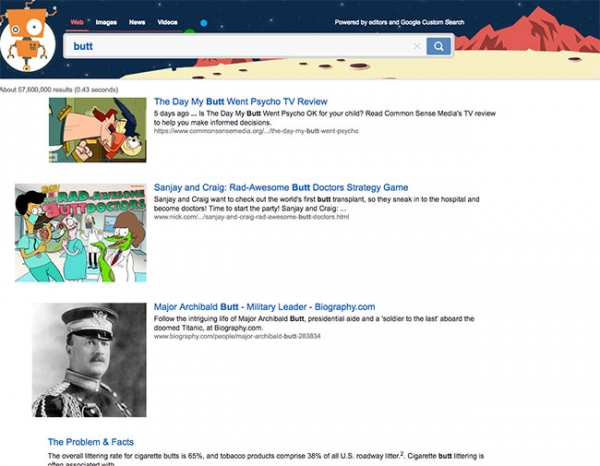 Photo source: kiddle.co
While Kiddle tries to filter as much "adult content" as possible, there are still sites that pop up that one family may find inappropriate or another may deem to be offensive. However, parents can email Kiddle and request that certain keywords and websites be added to the blocked list.
One great feature of the site is that the most kid-friendly results are being chosen by editors, who block out sites that may be unsafe for children to view. These are the first 3 pages to be shown. These results are written specifically for children, coming from websites like www.ducksters.com and kids.britannica.com. Kiddle’s editors also specifically choose images that are included on pages 1-7.
Unfortunately, results shown on pages 8 and beyond are not handpicked and are typically written for adults, but still provide expert content. This is where Google Safe Search comes into play. These web pages and articles are not supposed to contain explicit material, and may be more difficult for kids to understand, so parents should monitor these more closely.
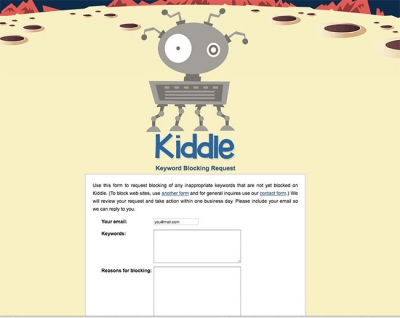 Photo source: kiddle.co
Overall, Kiddle does its best to weed out inappropriate content, but it is not quite perfect yet.
So, should you allow your children to use Kiddle? That's up to you, but regardless of what search engines you choose, general internet safety precautions should always be discussed first!
Parenting Tips:
1. Set Ground Rules
Kids should know your family rules and feel comfortable talking to you before using the computer.
2. Be Involved!
Supervise all web activity and physically be nearby to monitor what your kids are searching. Also know how to do a history search to see what websites have been viewed.
3. Talk to Your Kids and Warn About Dangers
Always keep the lines of communication open with your children. Discuss the risks of sharing information and make them aware of suspicious behavior or activity. Remember, the goal isn't to scare them, it is to make them aware so they are safely using the technology.
4. Implement Parental Controls
To find those options, check with your internet service provider.
General Internet Safety for Kids
These websites offer additional information about protecting children online:
- StaySafeOnline: http://www.staysafeonline.org/
- Stop. Think. Connect.: http://www.dhs.gov/stopthinkconnect
- OnGuard Online: http://www.onguardonline.gov/topics/protect-kids-online
While we can't always shield our children from discovering inappropriate materials, Kiddle seems to be at least headed in the right direction for kid-safe internet browsing. As with any new website or app, there will be bug fixes and improvements in the months to come. Parents should always monitor the sites kids search and be in the know for new risks and dangers as they come up.
For more information and to try it out for yourself, visit www.kiddle.co!